
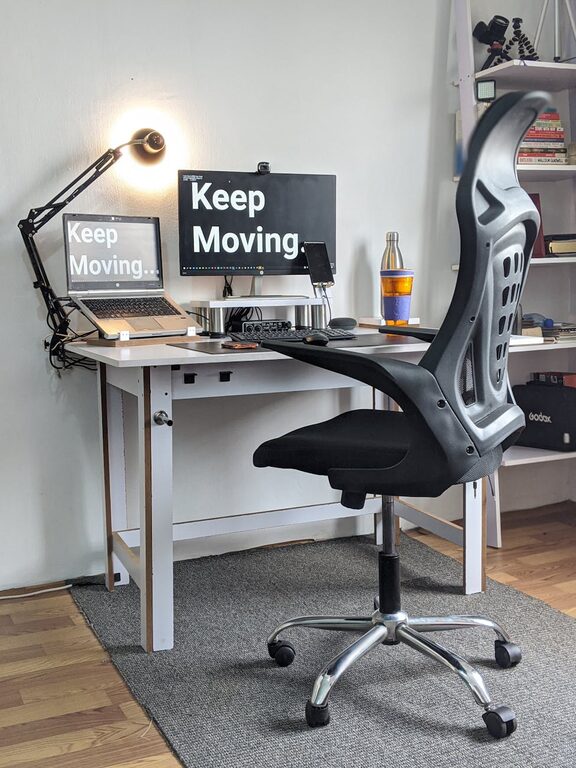
Creating a desk setup that promotes both focus and comfort can significantly improve your productivity and well-being, whether you’re working from home or in an office. A thoughtfully arranged workspace reduces distractions, supports good posture, and helps you stay motivated throughout the day. In this post, we’ll explore practical tips to optimize your desk for maximum comfort and concentration.
Why a Good Desk Setup Matters
Your workspace environment plays a crucial role in how effectively you work. An organized and ergonomic setup minimizes physical strain and mental clutter, making it easier to concentrate on tasks. When your desk supports your natural movements and keeps everything you need within reach, you spend less time adjusting or searching for things—and more time being productive.
Choosing the Right Desk and Chair
Desk Selection
– Size and Surface: Choose a desk with enough surface area to hold your computer, documents, and any tools you use regularly, without feeling cramped. Consider a desk with built-in storage or shelves to keep items organized.
– Height: An ideal desk height allows your forearms to rest comfortably parallel to the floor when typing. Standard desk height is usually around 28–30 inches, but adjustable desks are great for customizing to your body.
Chair Selection
– Ergonomic Design: Select a chair with adjustable height, lumbar support, and seat depth to help maintain the natural curve of your spine.
– Comfort and Mobility: Choose a chair with comfortable padding and wheels if you need to move around easily during your workday.
– Posture: Keep your feet flat on the floor or a footrest, with knees at about a 90-degree angle.
Monitor Placement and Lighting
Monitor Setup
– Eye Level: Position your monitor so that the top of the screen is just below eye level. This helps reduce neck strain.
– Distance: Place the monitor about an arm’s length away to avoid eye fatigue.
– Dual Monitors: If you use more than one screen, align them at the same height and distance for smooth transitions.
Lighting
– Natural Light: Place your desk near a window if possible, as natural light can improve mood and energy levels.
– Task Lighting: Use a desk lamp with adjustable brightness to reduce eye strain during low-light conditions.
– Avoid Glare: Position screens to minimize reflections from windows or overhead lights.
Organizing for Efficiency
Declutter Your Desk
– Essentials Only: Keep only frequently used items on your desk to minimize distractions.
– Storage Solutions: Use drawers, trays, or organizers to keep papers, pens, and gadgets neat and accessible.
– Cable Management: Use clips or sleeves to keep cables tidy and out of the way.
Personal Touches
– Plants: Adding a small plant can improve air quality and create a calming atmosphere.
– Photos or Art: Personal items can make your workspace inviting but avoid overcrowding to maintain focus.
Incorporating Break-friendly Elements
– Standing Options: Consider a sit-stand desk to alternate between sitting and standing throughout the day.
– Movement Reminders: Place a timer or app on your phone to remind you to take regular breaks and stretch.
– Comfort Accessories: Use wrist rests, footrests, or cushions as needed to support comfort during long sessions.
Maintaining Your Setup
– Regular Cleaning: Dust and wipe down surfaces weekly to keep your workspace inviting.
– Periodic Review: Every few months, assess your setup and adjust anything that’s causing discomfort or inefficiency.
– Adapt as Needed: Don’t hesitate to swap out equipment or rearrange your desk to better suit your evolving work style.
Final Thoughts
A well-planned desk setup tailored to your needs can make a noticeable difference in your focus and comfort. By selecting ergonomic furniture, managing lighting, organizing thoughtfully, and incorporating healthy work habits, you create a workspace that supports productivity and well-being. Start making changes today, and enjoy a more comfortable and focused workday!